← Newsletter3 min read
I Was Drowning in Data. So I Built My Way Out.
How I Built My Own Data Dashboard with Claude
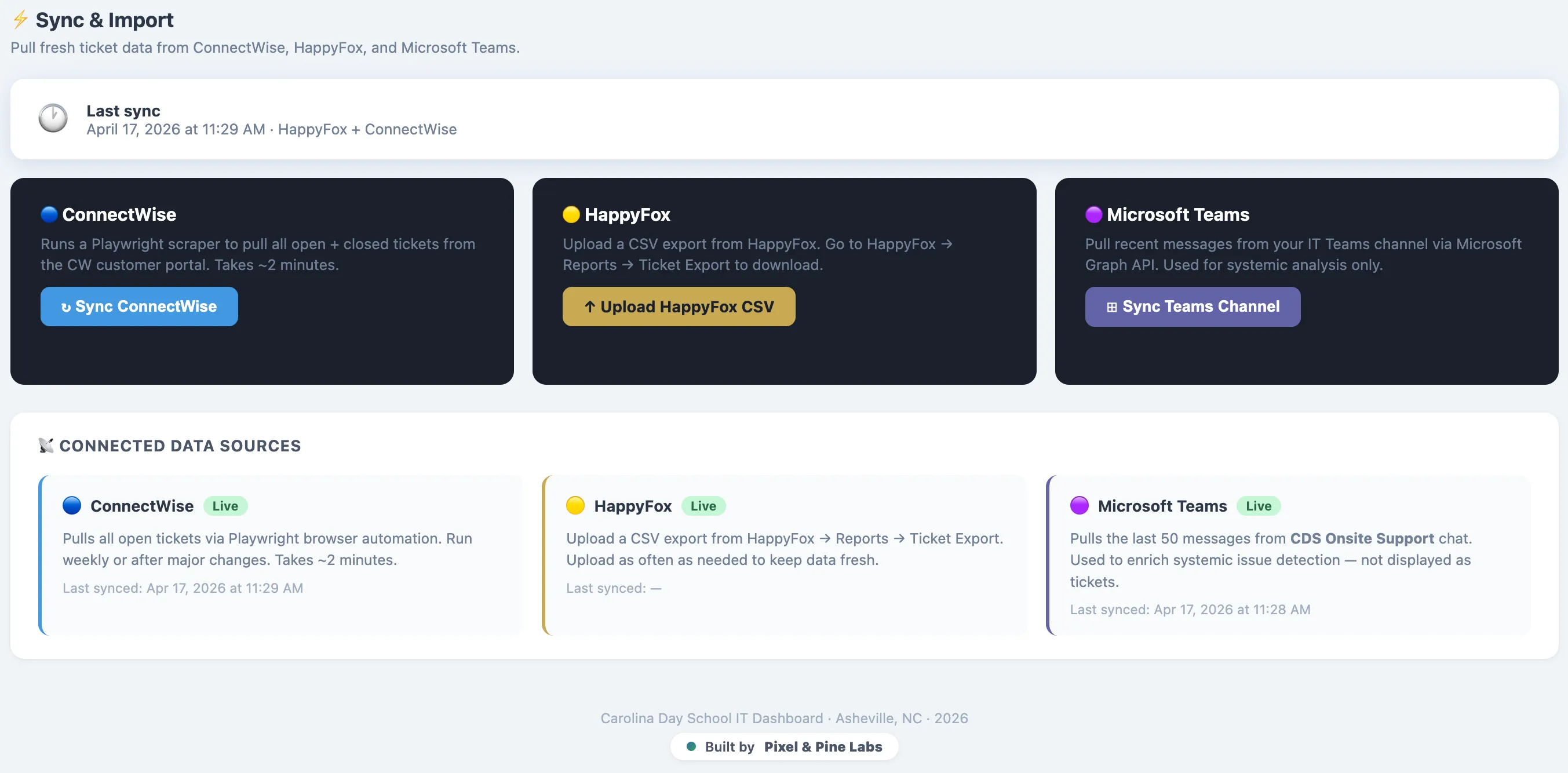
Every Monday morning, I used to open three different tabs and feel my stomach drop.
One tab for our internal ticketing system. One for the MSP portal. One for the Microsoft Teams thread where urgent issues surface in real time — often buried under 40 messages from Friday afternoon. My job, before I could do my actual job, was to manually synthesize all of it into something coherent enough to act on.
That’s not leadership. That’s triage.
After one too many weeks of reactive firefighting, I decided to stop managing the problem and start building around it. Using Claude Code, I spent a week developing a custom IT dashboard that pulls all three data streams into a single unified view — and it’s fundamentally changed how I lead my team.
The Real Problem Isn’t the Data. It’s the Synthesis.
IT administrators in school settings don’t lack information. We have too much of it, scattered across systems that don’t talk to each other. The mental load of connecting those dots in real time doesn’t just slow you down — it crowds out the strategic thinking your role actually demands.
The dashboard I built addresses this directly. It pulls from the Microsoft Graph API for Teams data, ingests CSV exports from our internal ticketing system, and scrapes our ConnectWise MSP portal using secure credentials. A fuzzy-logic deduplication algorithm then filters out duplicate tickets across all three sources, so I’m looking at a clean count of unique issues — not the same printer problem logged four different ways.
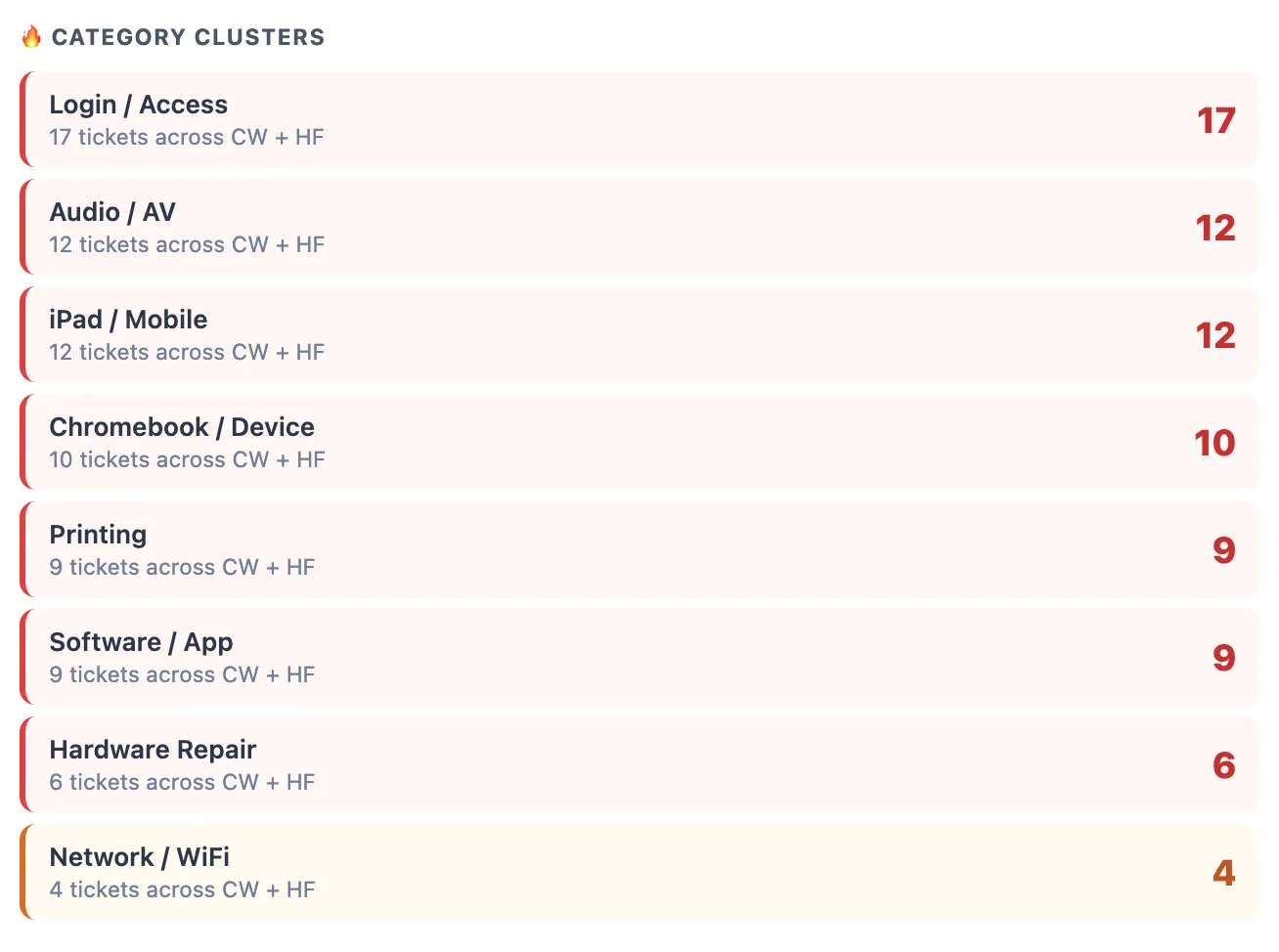
From there, the tool automatically categorizes tickets to surface recurring themes: infrastructure patterns, user education gaps, vendor reliability issues. And for each unique ticket, it generates a recommended starting action — genuinely useful for technicians encountering an unfamiliar issue type.
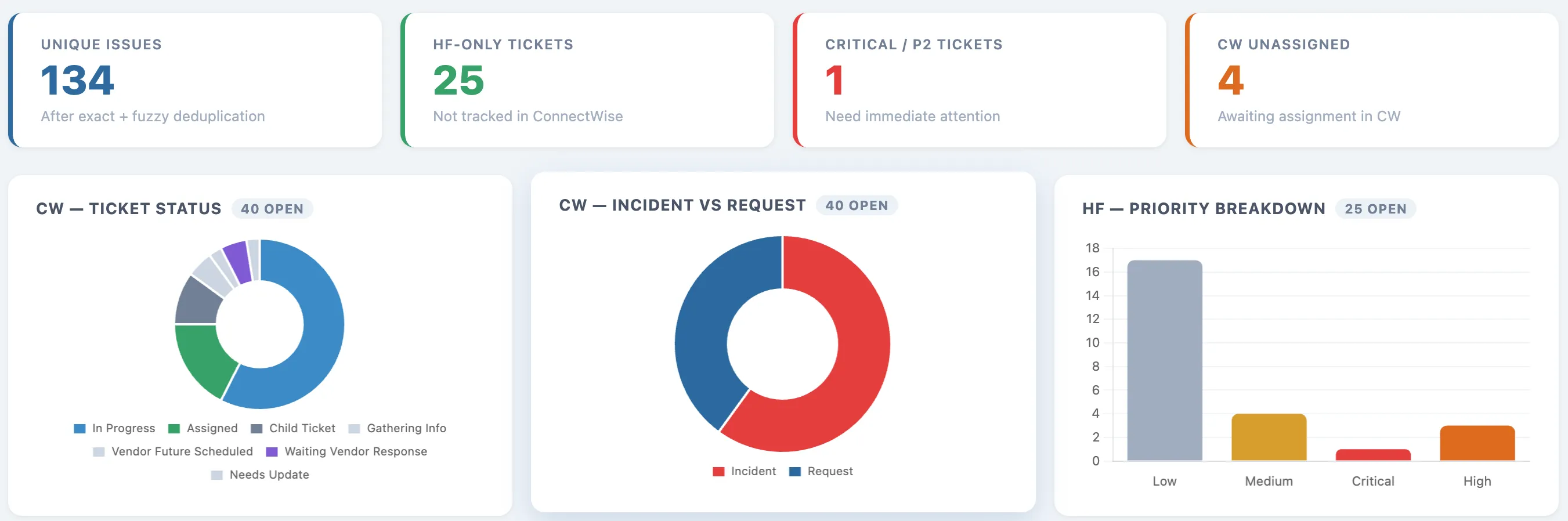
Three pages. One view. No more tab-switching.
Building It Was the Hard Part — and That’s the Point
This wasn’t a single prompt. It was a week of iterative collaboration: feeding the AI error logs, diagnosing failed API calls, pushing back when the output didn’t match what the data actually required. I had to think like an engineer — not just a user.
That friction was valuable. It forced clarity about what I actually needed the tool to do, and why.
The more important realization: I wasn’t just using AI to do a task. I was using AI to build something that would keep doing the task after I walked away. The dashboard runs without a subscription, without a monthly AI fee, without me prompting anything. I built it once. It works every week.
That distinction — AI as builder, not just assistant — is where the real leverage lives.
What Changes When You Can See Everything at Once
The practical shift has been significant. Monday mornings now start with a sync, not a scramble. I pull the latest data, identify the week’s thematic priorities, and walk into team check-ins with something concrete to say.
The downstream effects compound. Quarterly reviews are now grounded in aggregated trend data rather than recent memory. Budget conversations have gotten easier — when a recurring infrastructure issue shows up in the data week after week, the case for investment makes itself.
More than anything, I’ve reclaimed the part of my role that actually requires judgment. Synthesizing data is something a well-built tool can do. Deciding what to do about it is something only I can do.
The Question Worth Asking
Most conversations about AI in education focus on what it can do for students or teachers. Fewer ask what it can do for the people managing the infrastructure those classrooms run on.
If you’re an IT leader spending significant mental energy just keeping up with the data — that’s not a personal failing. It’s a systems problem. And systems problems have solutions.
What would you do with your Monday mornings if the synthesis was already done?
Keep coding!
Ryan
This post first went out on Substack. Join the conversation there or subscribe to get the next one by email.