← Blog10 min read
Working With Scripts
As an educator, I hate busy work...and with teaching, there is a lot of busy work. I rather not grade papers, I rather not look over multiple choice answers, and I rather not write emails or reports that use data that can be extracted from other sources. It's really redundant and I can think of 100 other things that would be a better use of my time. Now that I've been working at a school that is 100 percent on board with Google products, how can I use those tools to help me out?
Automate Everything
As an educator, I hate busy work…and with teaching, there is a lot of busy work. I rather not grade papers, I rather not look over multiple choice answers, and I rather not write emails or reports that use data that can be extracted from other sources. It’s really redundant and I can think of 100 other things that would be a better use of my time. Now that I’ve been working at a school that is 100 percent on board with Google products, how can I use those tools to help me out?
Welcome to Google App Scripts
Ah, Google App Scripts to the rescue! If you are unaware of what Google Scripts are, take some time to look into it. For a basic version of it, Google Scripts allows for the owner of a Google file, Docs, Sheets, etc., to write code that can be run on the Google Apps Scripts platform that fetches or mutates the information in that Google file. In addition, you can create your own files from a script and send out emails from the script. One of the best things about this is that the scripts use JavaScript to carry all of this out.
A Little Peek
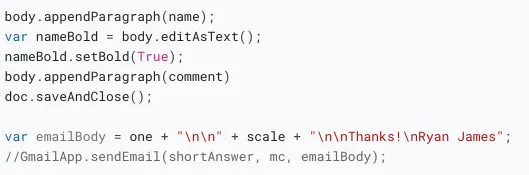
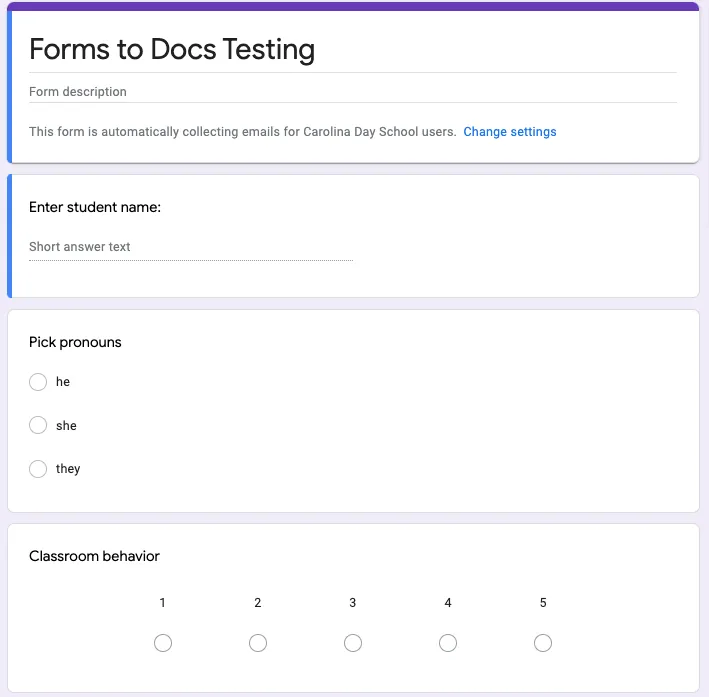
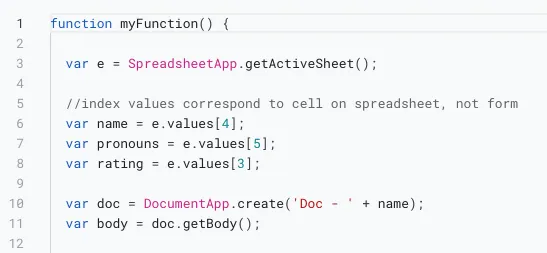
I’m planning to do a bigger tutorial of how to create a Google App Script to generate reports, but here’s a sneak peek into it. You first need a Google Form and Google Sheet that is holding the responses from the form. Then, with the Extensions menu you can add an Apps Script to your Google Form. The script will execute how you see fit. The Triggers in the scripts menu will allow you to execute the script when the form is submitted, when a specific time occurs, or when a specific event occurs.
This is just a little bit of code that I wrote to generate a report from the responses from the Google Form. It’s not a very good report, but it’s a good example of how to use Google Scripts. You can find more of what I’ve been playing around with if you want to clone the GitHub repo. Oh did I mention that Google App Scripts has GitHub support?! Yes, you can clone a script from a GitHub repo into your app. Go here for the repo.
Stay tuned for a part 2 to this. I’m planning to put together a tutorial that shows how to use your Google Sheets as a database to build an app with Google Forms.