← Blog10 min read
Working With Scripts - The Sequel
Ok, so every school has these awkward conversations about students, and I never want to be included in them. When I hear negative comments about a student, it gives me a bias towards that student. I know other teachers are with me. It's hard to hear bad things about someone and then treat them fairly along with the rest of the class. So when we have these conversations at my school about discussing students of concern, I rather wish I wasn't there. How can we use technology to help us not be included in these conversations? Enter Google Apps. As I stated in a previous post, we can write our own code to run in the background of our Google Apps.
The Problem
Ok, so every school has these awkward conversations about students, and I never want to be included in them. When I hear negative comments about a student, it gives me a bias towards that student. I know other teachers are with me. It’s hard to hear bad things about someone and then treat them fairly along with the rest of the class. So when we have these conversations at my school about discussing students of concern, I rather wish I wasn’t there. How can we use technology to help us not be included in these conversations? Enter Google Apps. As I stated in a previous post, we can write our own code to run in the background of our Google Apps. I’m going to go into how I used this to solve this problem so that only the people that need to know information are included in the conversations. For this, we’ll be using the same repo that was mentioned in the previous post if you want to check out the final code.
The Set Up
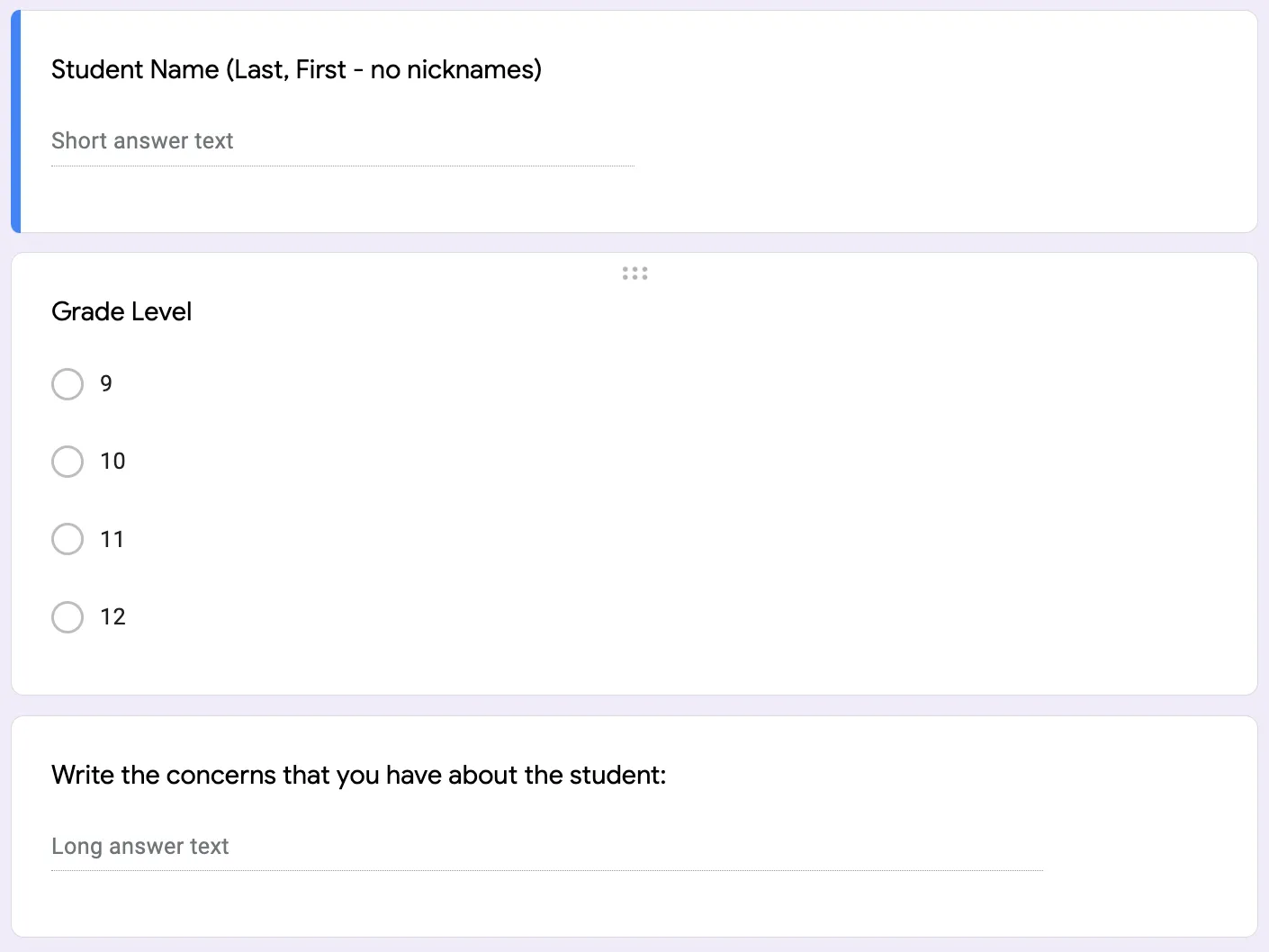
Let’s talk through the workflow. A faculty member will go to a specific Google Form and enter in information about a student. This form will dump the entry into a Google Sheet that is paired with the Form. On that Form is where you will add a script. To add the script, you will use the Extensions menu and click the Apps Script extension. That will open up a new script for the file you are working on. There is great documentation from Google on the script editor classes and methods. I recommend reading the documentation and having it handy when you’re starting out. Once you have a script open, you will want to go back into your Drive account and create a new Google Doc.
Here are all the things that you should have created at this point: a Google Form, a Google Sheet, an Apps Script on the Sheet, and a Google Doc. The Form is going to trigger the script to run that will change the information on the Doc. If the Doc is shared with the appropriate people, there is no reason to e-mail documents or have additional conversations.
Grab the Data
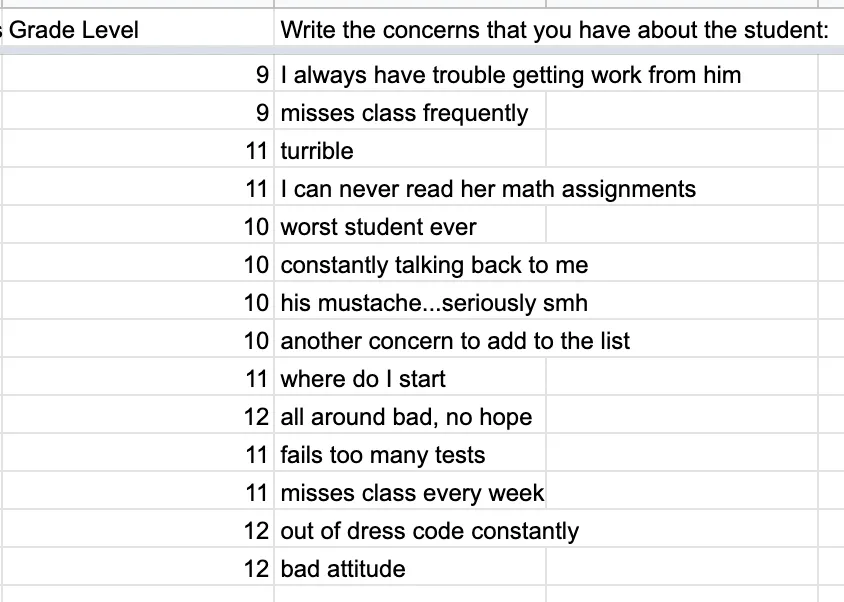
The first thing that you need to do is grab your data from the Sheet. You can do this by using the SpreadsheetApp class.
// Get the data and sort by name and grade level
let sheet = SpreadsheetApp.getActiveSheet();
sheet.sort(2).sort(3)
let data = sheet.getDataRange().getValues()
Now that you have the data, you can search it, sort it, manipulate it, and do any other algorithms on it that you may want to. The data that you are getting from the sheet comes in as a 2D array. The first row is the headers, and the rest of the rows are the data.
Export to a Google Doc
Once you have the data, you can then export it to a Google Doc. You will need to get the Google Doc’s ID. Every Google App file has a unique ID that can be found in the URL. The way a URL is constructed is: docs.google.com/spreadsheets/d//. You can use this ID to pull a document in the Apps Script editor.
const doc = DocumentApp.openById('id-not-shown');
let body = doc.getBody();
Logger.log(body);
body.clear();
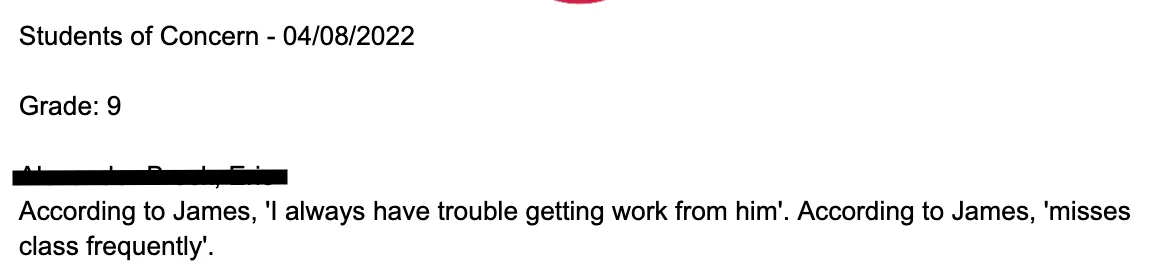
This code will grab the document and then clear the document. After this, you can add your code to write your document. In my version of this project, I pulled the data and then wrote string statements from the data to give a narrative of the student that is readable.
I hope this helps solve a new problem that you may be having at your school. It was fun to figure this out and I’m looking forward to coming up with different ways this can be integrated. My summer project is to create a PD database for the school, and I think this will be a great solution to that.
Keep coding!
Ryan